
School and Athletics Low Latency Information Executive
SALLIE
Simplifying School and Athletic Operations.
SALLIE brings school and athletic operations together in one convenient platform. Designed with the needs of athletic directors and school districts in mind, SALLIE helps manage the many responsibilities involved in running school athletic programs and activities.
It works the way the job is spoken. Type or say what is happening, such as “Thursday's game is postponed to Friday”, and SALLIE shows a card with what that would change. Nothing changes until a person confirms, and a confirmed change can be undone.
A change is rarely one thing. When a game moves to another day, the bus request follows it, the officials are marked to re-confirm, the gate and concessions posts move with the event, and each traveling athlete's family gets one text. SALLIE keeps those pieces together, so the athletic director does not have to carry them all in their head.
Core Features
-
Transportation Management
Organize and coordinate transportation for athletic events, trips, and activities.
-
Sports Scheduling and Rescheduling
Manage game schedules, athletic events, and changes to scheduled trips or games.
-
Athletic Statistics
Keep game stats, season leaders and a records board in one organized place, and share them with your conference or the public only if you choose.
-
Athletic Equipment Management
Track athletic gear and equipment as it is checked in and out.
-
Athletic Eligibility Tracking
Manage and monitor student-athlete eligibility information.
-
Parent Communication
Message parents about schedule changes, cancellations, event updates, and other important information.
-
Event Worker Coordination
Fill gate duty, concessions and supervision posts for athletic events, see which are still short, and remind the people on them.
-
Facility Reservations
Manage reservations and scheduling for your school's gyms and fields, including outside groups and maintenance.
-
Centralized Information and Coordination
Bring important school and athletic operational information together: one page shows the day's games, officials, transportation, duty posts and what still needs a person.
SALLIE screenshots
-
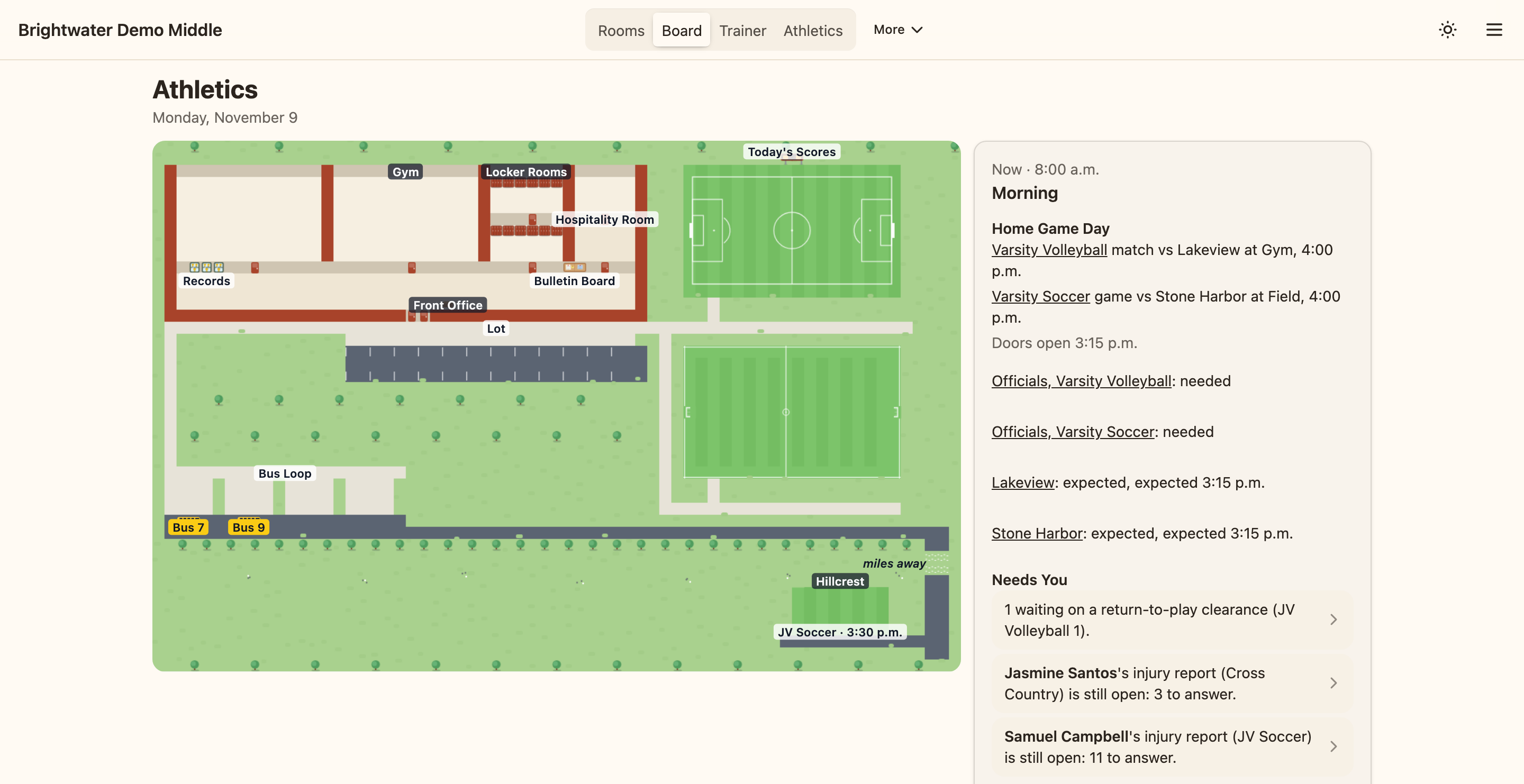
The athletic director's board for the day. Every screenshot on this site is a demo school with made-up names. -
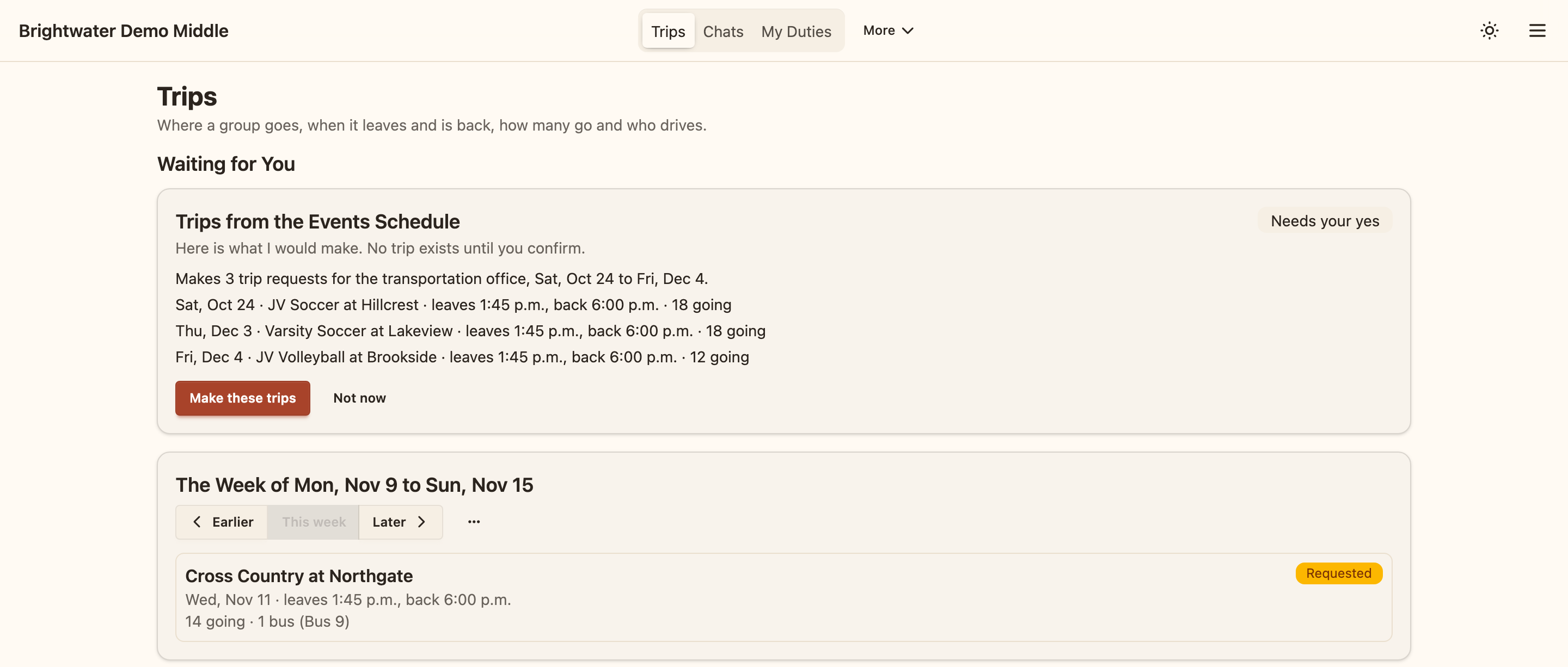
Trips for the week, and trip requests waiting to be made. -
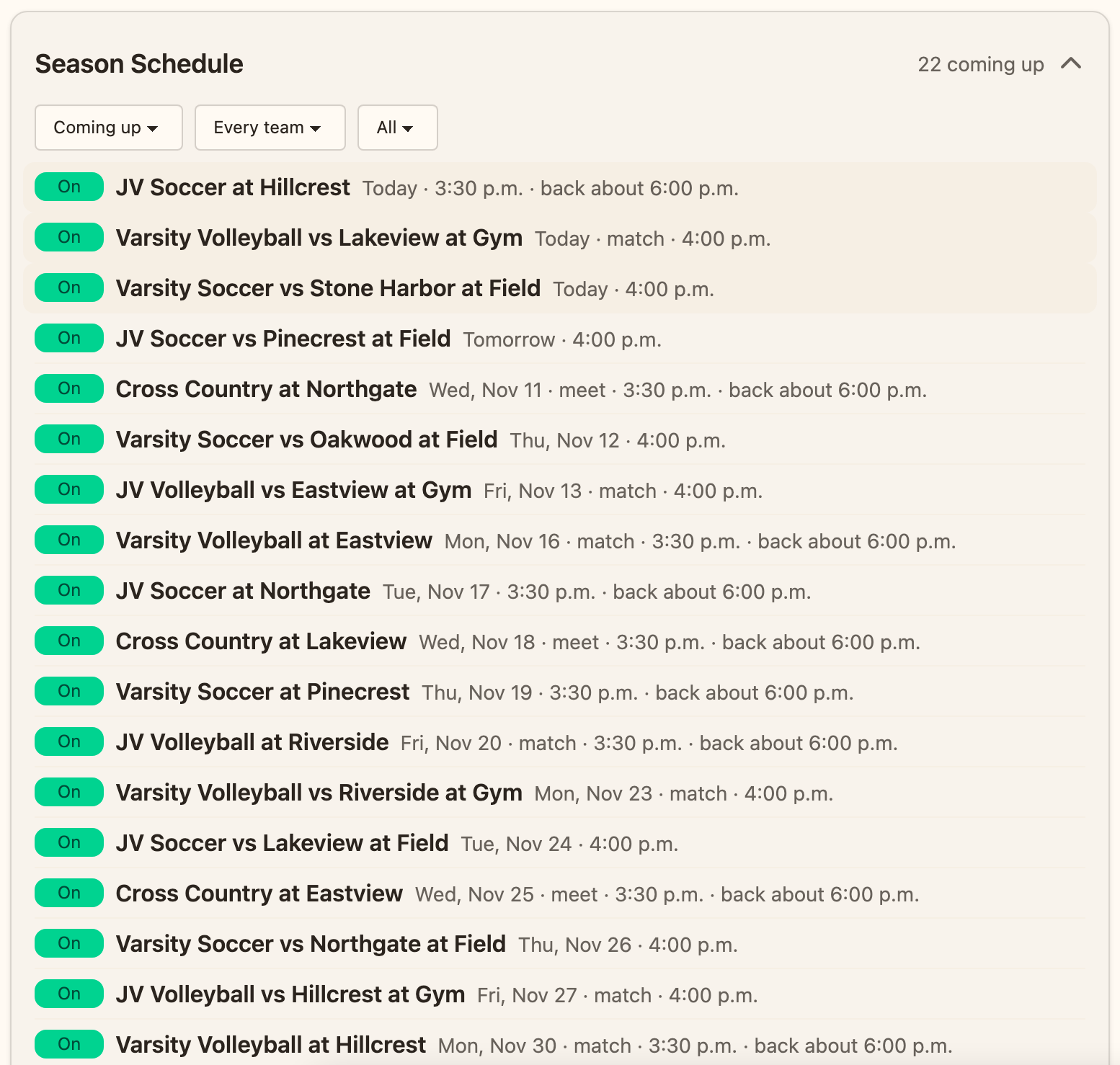
The season schedule, every team in one list. -
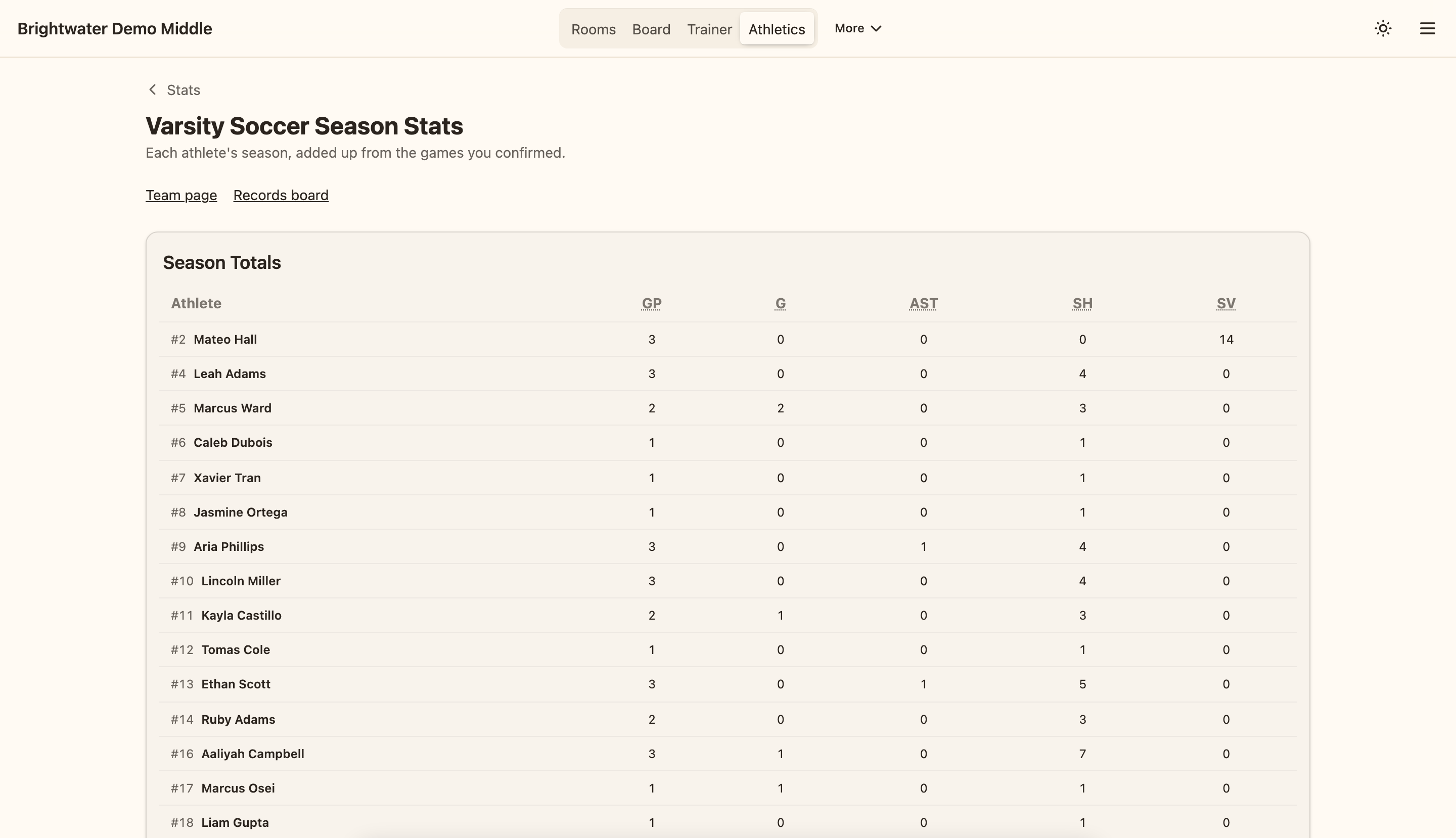
A team's season stats, added up from the games a coach confirmed. -
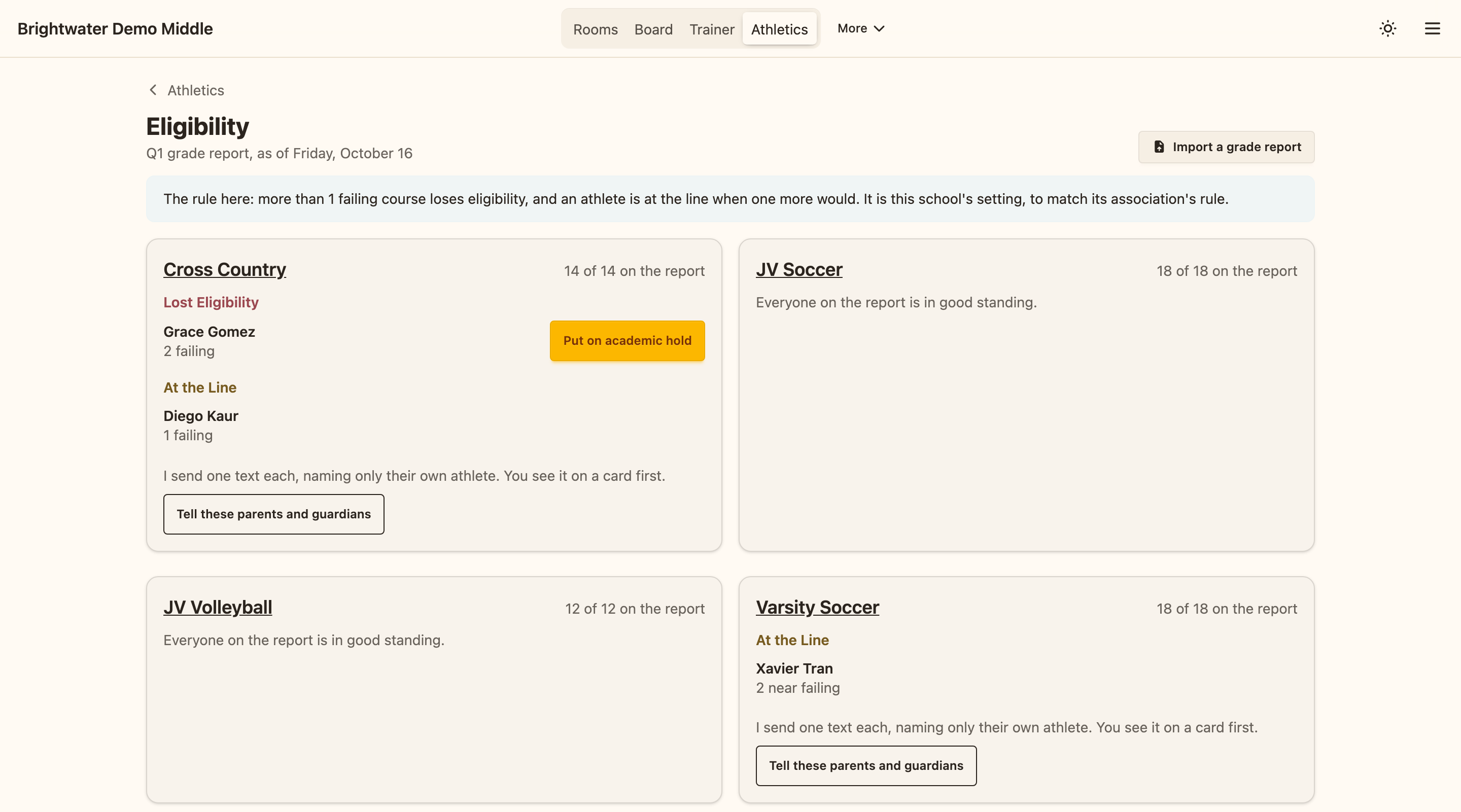
Eligibility from the latest grade report, team by team. -
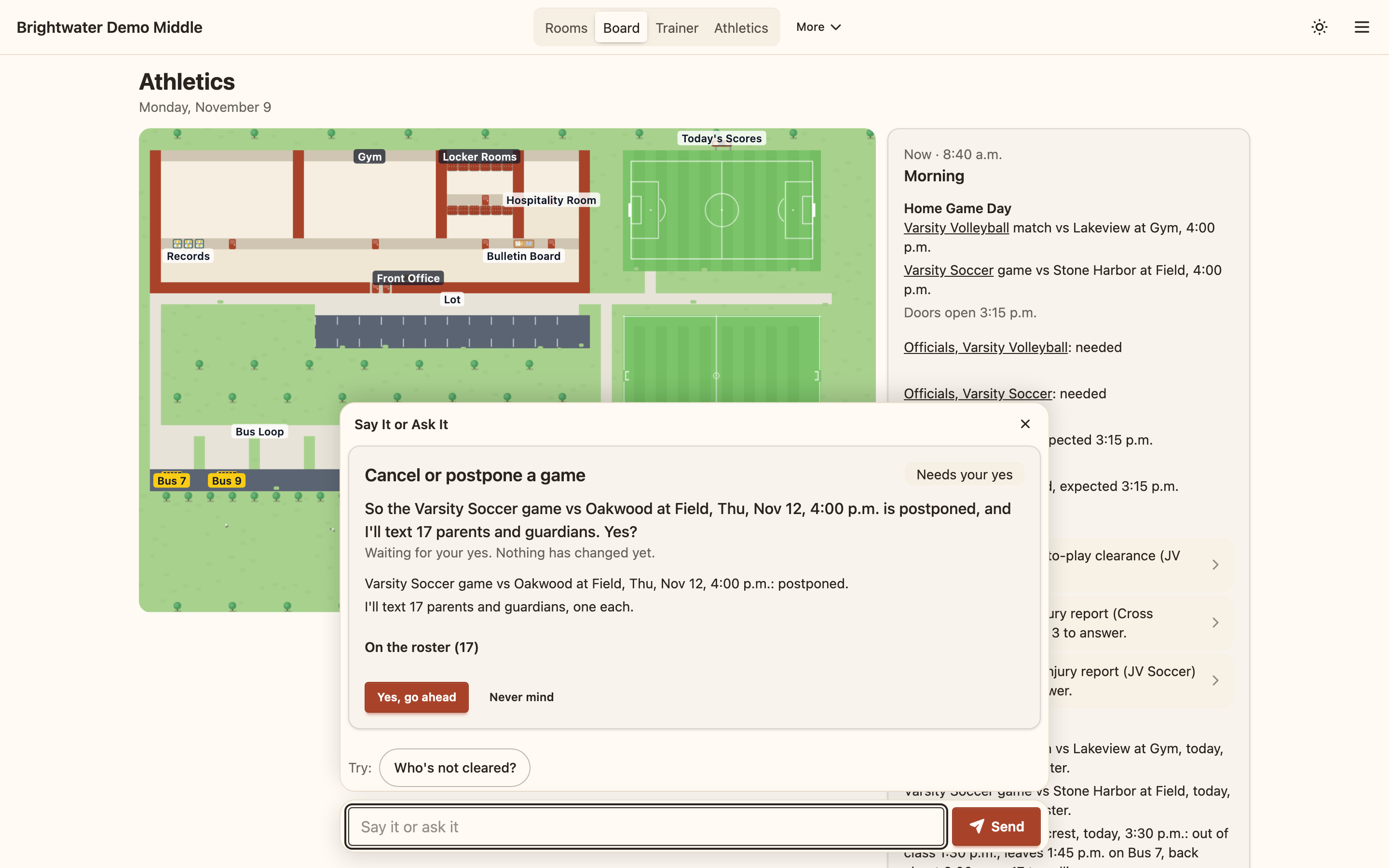
Postponing a game: the card says who will be texted before anything is sent. -
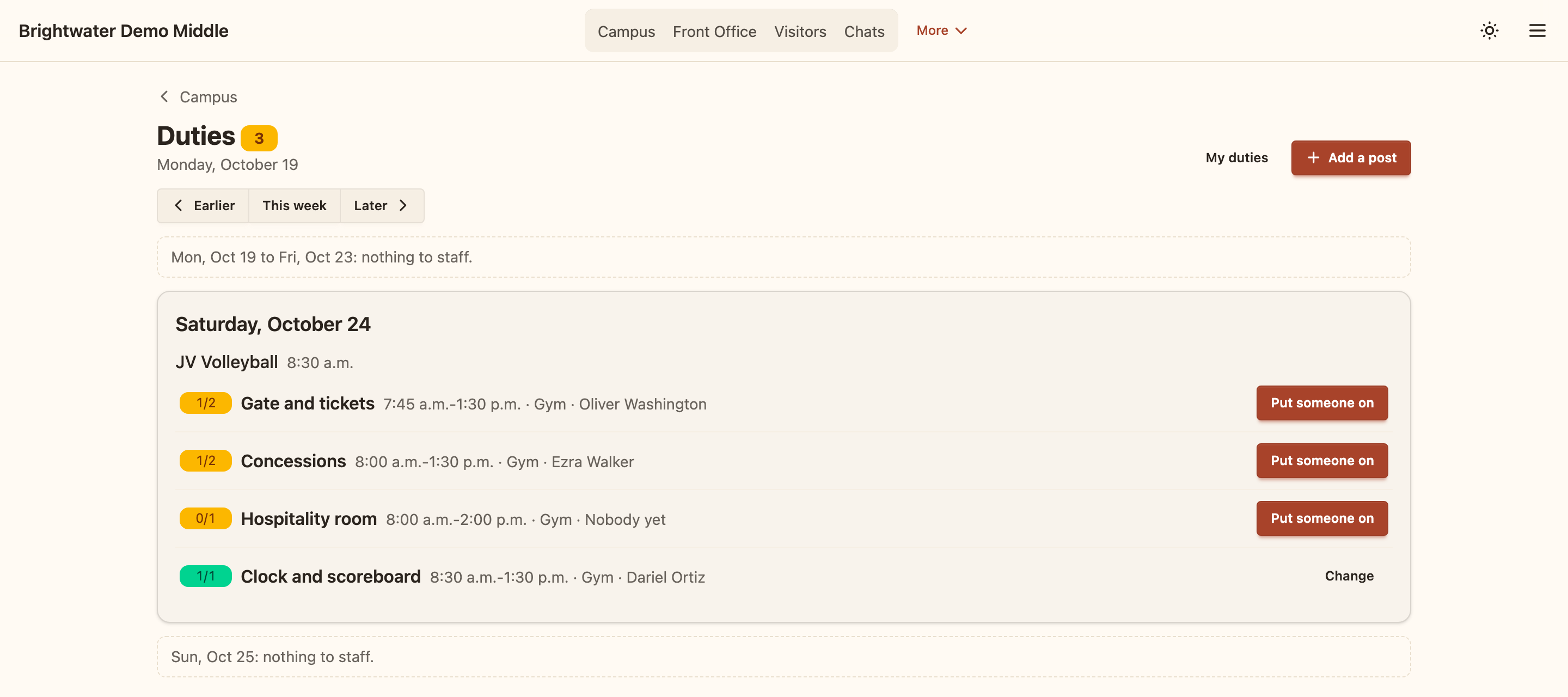
Gate, concessions and clock posts for a home tournament. -
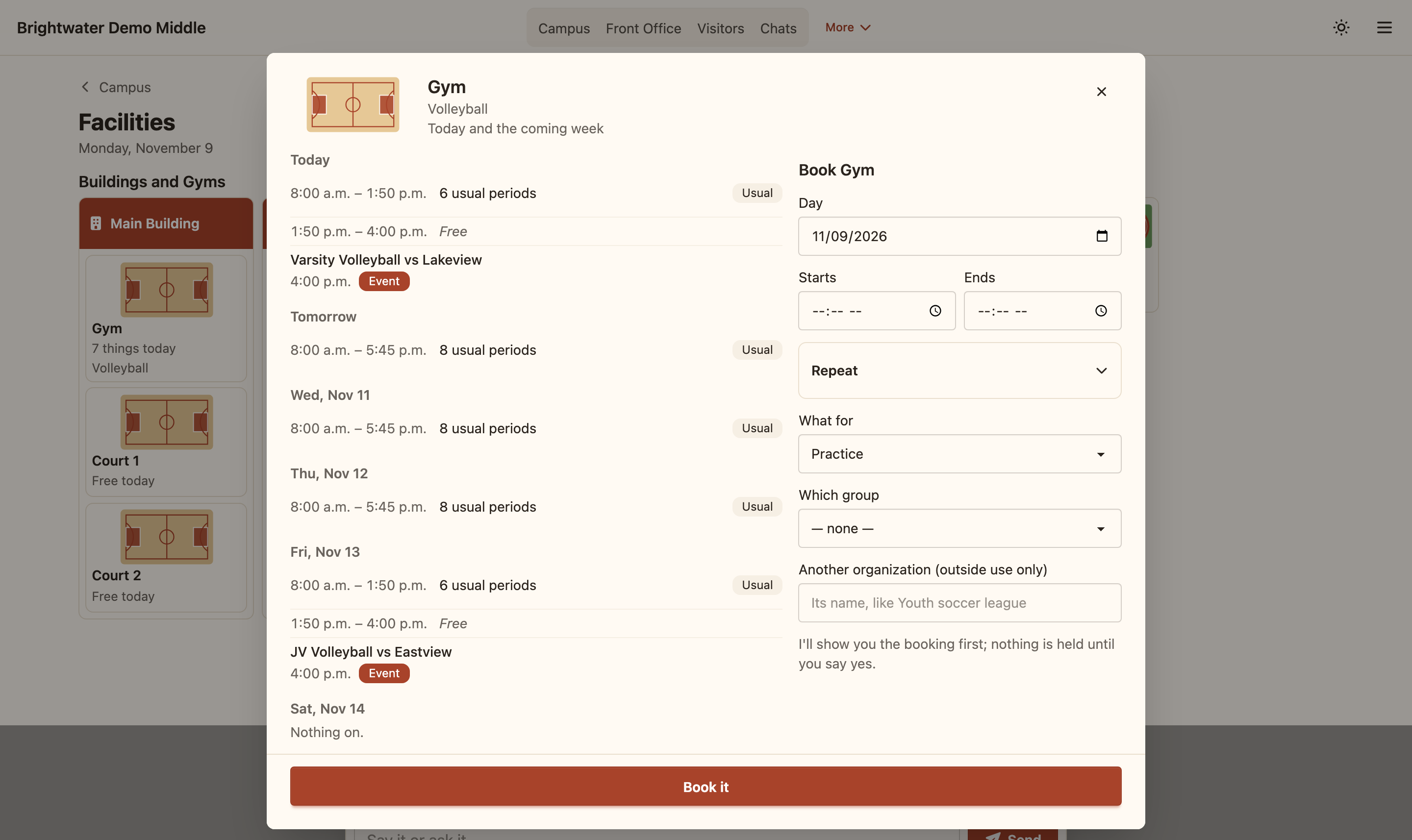
Booking the gym: its week on the left, the booking form on the right. -
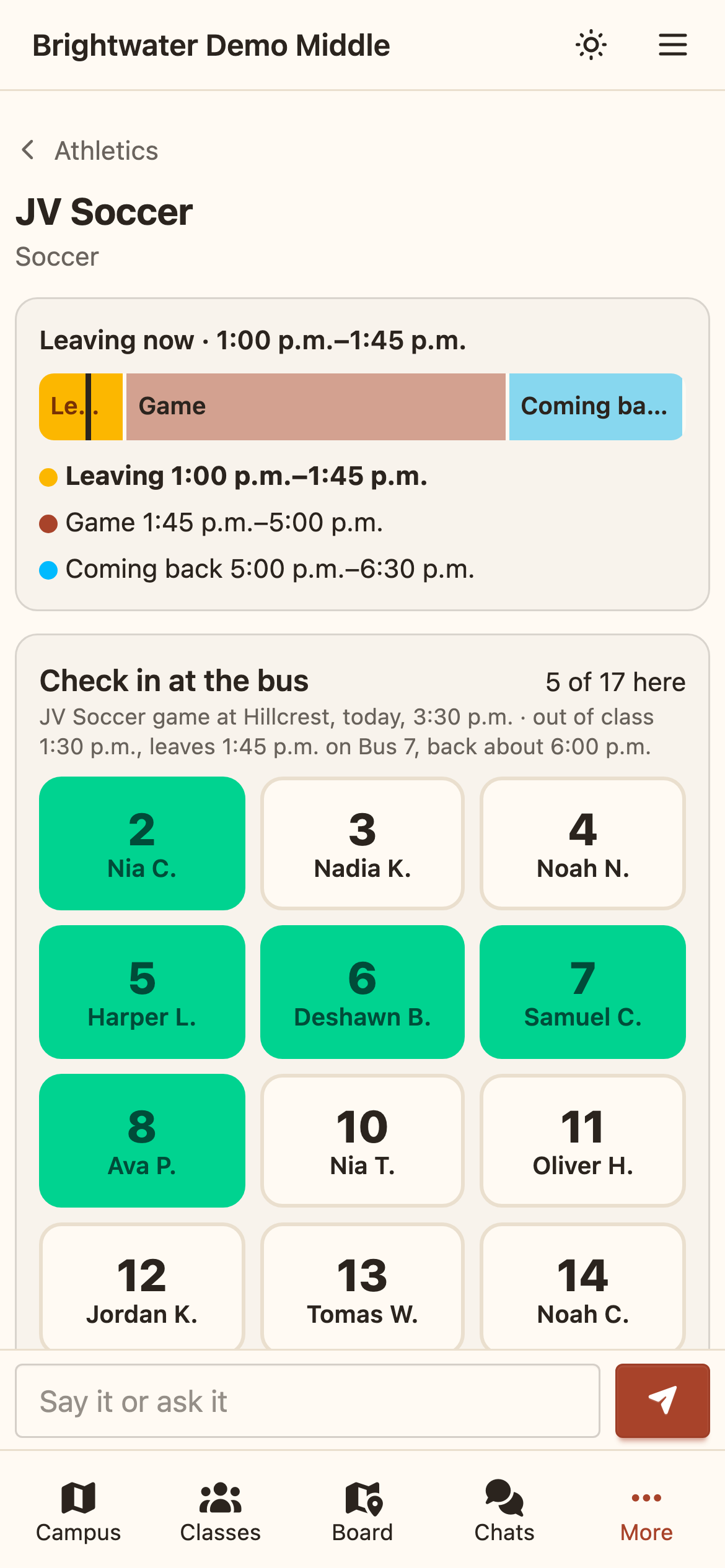
A coach's phone: the trip's times and check-in at the bus.


Questions
What happens when a game is rained out?
Open the game's page and press cancel or postpone. SALLIE shows a card with what will change and how many families will be texted. When you confirm, the game is marked, its transportation is freed, today's traveling athletes go back to their usual way home, and each affected family gets one text. If you change your mind, undo restores the game and texts the families to disregard.
Does SALLIE work with the tools we already use?
It is built to sit beside them. The season schedule comes in from a spreadsheet file or your scheduling service's calendar address, rosters load from files your student information system exports, and coaches can keep the stats or video service they like. SALLIE does not talk to the other school or its systems.
Does it work on a phone?
Yes. Coaches have a phone-sized page with their team's day, and staff can add SALLIE to a phone's home screen so that it opens like an app. Staff reach SALLIE on the school's network, at the address the school gives them.
Can parents or the public see anything?
Families do not sign in; they get texts. A public results page, with teams, opponents, dates and scores and no names, exists only if your school turns it on.
Do texts to families go out from the first day?
Not until your school connects its own Twilio account. Until then SALLIE sends no text: a change that needs one shows as not delivered, so the office calls the family.
How does SALLIE get our rosters?
From files your student information system exports: students with their grade, families with their phone, and classes and buses. A connection to PowerSchool through OneRoster exists and has been tested against a test server, not a live PowerSchool. Either way, the names are loaded onto your school's own machine.
What happens to our data if we stop using SALLIE?
The machine and what is on it are yours: the names, the keys and the records stay with you. Before you go, the agent's Export page builds a readable copy of your data on your own machine, with the names joined in. On request, we send you a codes-only export of your school's rows in the cloud and then delete them, along with your school's account.