
GrowPD
Track your professional development hours in one place.
Free for teachers.
GrowPD makes tracking professional development hours simple. Teachers record each activity as they complete it: what it was, the date, the hours and minutes, the goal it served, and a link to the evidence.
Each teacher keeps a plan for the year with a target number of hours. When a district has set the hours it expects, GrowPD suggests that number as the target, and the dashboard shows the hours completed, the target and the hours remaining.
A teacher who wants to attend something can submit a PD request first. A district administrator approves or denies it, and the teacher is emailed the decision.
Where a district tracks a formal requirement, such as hours toward license renewal, teachers attach the certificate for each activity and the district office verifies it. Only verified hours count toward that requirement. The office can print its reports, and download the year-end report as a spreadsheet file.
Core Features
-
PD Hour Tracking
Teachers can record and track their professional development hours.
-
Exportable PD Records
Your completed PD is kept in one list with its dates, hours and evidence, and the district office can print its reports or download the year-end report as a spreadsheet file.
-
District-Approved PD Opportunities
When your district turns provider updates on, you see PD opportunities from providers that your district has approved, and you can start a request from any of them.
-
Free for Teachers
Teachers can use GrowPD at no cost.
GrowPD screenshots
-
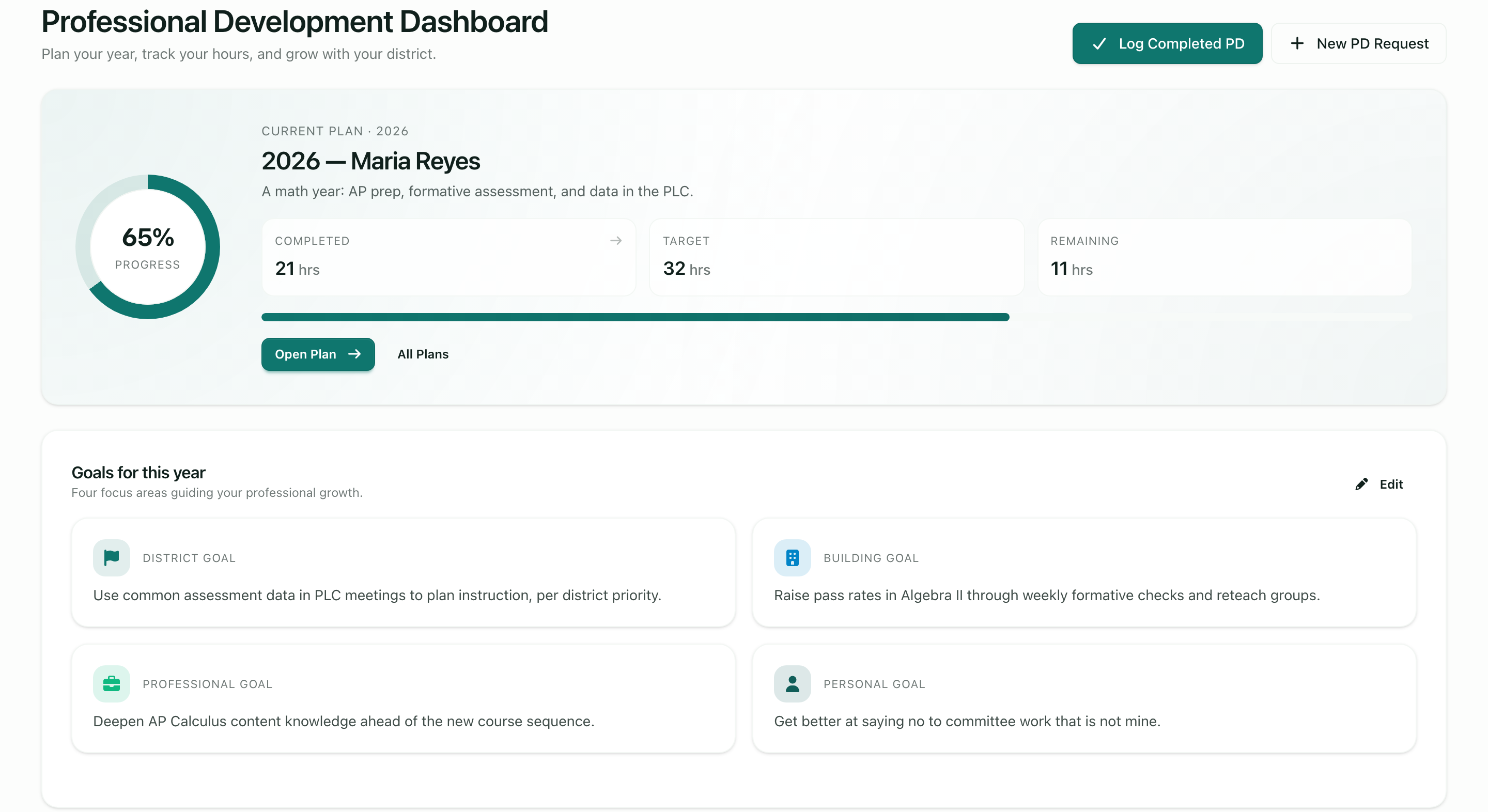
A teacher's dashboard: hours completed, the target and what remains. -
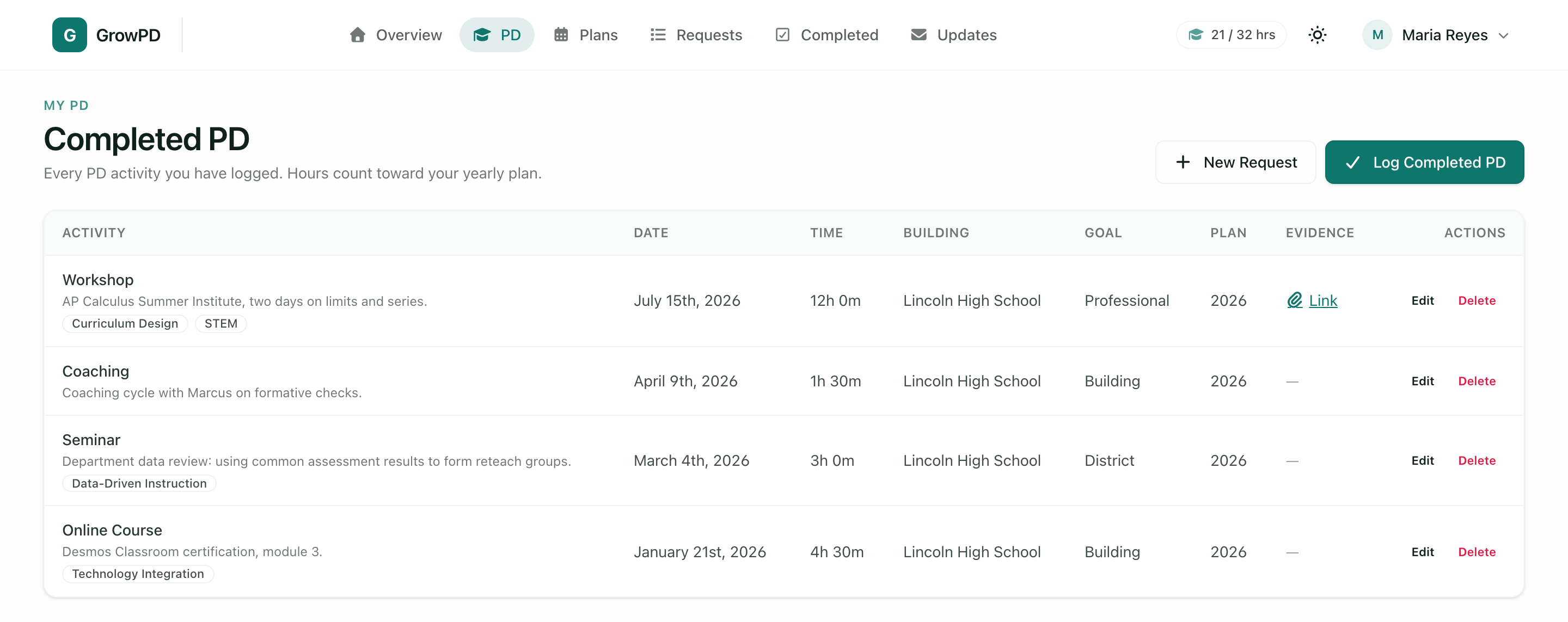
Completed PD, with the date, time, goal and evidence for each activity.


Questions
What can I record as professional development?
Workshops, seminars, online courses, conferences, tutoring, coaching, club sponsorship, and anything else under “other”. Each entry has a date and its hours and minutes. Your district decides what it accepts, and where it tracks a formal requirement, only hours with a verified certificate count toward it.
Can I export my own PD record?
Your completed PD is on one page, with the date, time, goal and evidence link for each activity. The printed and downloadable reports are produced by the district office today: a monthly report for each school and a year-end report, which also downloads as a spreadsheet file. A download of one teacher's own record is not built yet.
What does my district see?
District administrators have an overview of every member's plan, hours logged and requests for a plan year, with totals for each building. They also decide PD requests and, where certificates are used, verify them.
How do I start using GrowPD?
A teacher uses GrowPD inside a district's workspace. If your district has one, you join by an invitation from your district. If it does not, contact us and we will talk with you about setting one up.